On point
LEGAL WRITING AI
Best AI for Legal Writing and Legal Writing Software With Real Prices
Every AI tool lawyers use for briefs, motions and memos, sorted by the writing job it does, with the price each vendor actually publishes and the federal contract figures for the ones that do not.
US firms · Research tool, not legal advice
CaseSearch research console
Federal + state
|
Try:
Reading opinions
Finding the authorities that answer your question...
Sample answer. That question is outside the worked examples this preview ships with, so the authorities below show the format rather than an answer to what you typed. Pick one of the example questions above for a fully worked result.
Controlling statute
The controlling statute is surfaced alongside the case law so you read the code and the precedents together.
Plain-English answer
Research memo
- Question
- Short answer
- Authorities
CaseSearch shows you the sources. Always read the full opinion and verify citations before you rely on them.
The short answer
The best AI for legal writing depends on the job. For editing a brief you already wrote, BriefCatch is the tool with the longest public purchase record and costs $60 a seat a month billed annually. For tying every factual assertion to the record, Clearbrief costs $300 a user a month. For a first draft grounded in case law, Paxton AI lists $499 a month, and Lexis Create+ comes inside the Lexis+ Deluxe Transactional plan at $217 a month on a three year term. None of them removes the duty to read the cases you cite, so pair any writing tool with research that shows whether each authority is still good law.
$60
a seat a month for BriefCatch Individual, billed annually, the lowest published price for a brief editing tool
$167
per license a year paid by a Justice Department office for 150 BriefCatch Enterprise licenses, 2026
$217
a month for the cheapest Lexis+ plan that includes Lexis Create+, on a three year term
$24
a month for CaseSearch case law research billed yearly, to check every case a draft cites
Side by side
Legal writing AI compared by job and published price
Prices read on each vendor's own pricing page or online store in October 2026. Where a vendor publishes nothing, the column says so rather than repeating a reseller estimate.
| Tool | Writing job it does best | Published price | How you buy it |
|---|---|---|---|
| BriefCatch | Line editing for clarity and concision in Word, plus the RealityCheck citation checker | $60 a seat a month billed annually (1 seat); Pro $75 a seat, minimum 5 | Online, start free with no card |
| Clearbrief | Linking facts in a brief to the record and cited sources, hyperlinked citations, timelines | $300 a user a month (Solo) | Online purchase; Enterprise by quote |
| Paxton AI | First drafts of motions, letters and clauses from a federal and 50 state case law base | $499 a user a month, or $2,999 a year | Online, 7 day trial |
| Lexis Create+ | Drafting inside Word and Outlook with Protege, Shepard's checks, Bluebook formatting, tables of authorities | Included in Lexis+ Deluxe Transactional, $217 a month on 3 years, $289 on 1 year | Online store for 1 to 3 attorneys; standalone by demo |
| Westlaw Drafting Assistant | Tables of authorities, KeyCite checks and WestCheck reports on a brief | None published | Contact sales, runs on a Westlaw subscription |
| CoCounsel Legal | Agentic drafting and Deep Research grounded in Westlaw and Practical Law | Shown only inside the Thomson Reuters online configurator, 1 to 10 attorneys | Online configurator, new customers only |
| Spellbook | Contract drafting and redlining in Word | None published, priced by number of team members | Demo, 7 day trial |
| Harvey | Firm-wide drafting and review for large firms | None published | Sales only |
| CaseSearch | Finding the on-point cases to cite and checking they are still good law (it does not draft) | $49 a month, or $24 billed yearly | Online, one question with no account |
WordRake, the older Word editing add-in, now tells its customers that WordRake is joining BriefCatch. Lexis+ with Protege showed Pricing on request on the LexisNexis law firm store when we checked on October 19, 2026.
What is the best AI for legal writing?
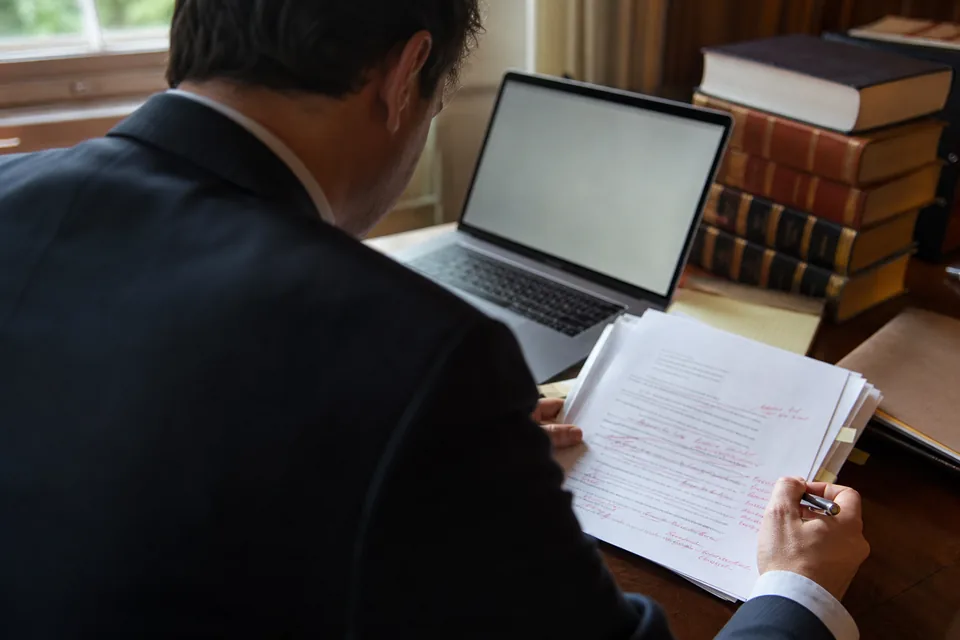
There is no single winner, because legal writing is three different jobs and each tool is built for one of them. Editing tools make a draft you already wrote shorter and clearer. Record tools tie each sentence of a brief to the exhibit, transcript or case that supports it. Drafting tools produce the first version from a prompt and a source library. A litigator who writes most of their own briefs gets more from an editor at $60 a month than from a drafting assistant at $499, and a firm that turns out high-volume motion practice may find the opposite.
The test that matters more than features is where the citations come from. A drafting tool that answers from a legal database (Paxton, Lexis Create+ with Protege, CoCounsel) gives you authorities you can open. A general chatbot writes plausible sentences and plausible citations, and the second part is what gets lawyers sanctioned. Whatever you choose, budget a separate step for checking every case before you file, which is the job CaseSearch does: plain-English search, the decision with its citation, and a signal showing whether it has been reversed or questioned.
Editing a brief you wrote
BriefCatch, from $60 a seat a month.
Tying facts to the record
Clearbrief, $300 a user a month.
First drafts from case law
Paxton $499 a month, Lexis Create+ from $217.
Legal writing AI for briefs and motions
For brief writing specifically, the tools split by what they check. BriefCatch reads your prose and suggests cuts, stronger verbs and plainer phrasing inside Word, and its plans include the RealityCheck citation checker. Clearbrief opens a side panel that links each factual statement to the document that supports it, so a judge or a partner can click straight to the record, and it builds hyperlinked timelines of the case facts. Lexis Create+ and Westlaw Drafting Assistant both generate a table of authorities and check each cited case against their own citator, Shepard's for Lexis and KeyCite for Westlaw.
The catch with the last two is the subscription underneath. Westlaw Drafting Assistant is sold through sales and runs on a Westlaw plan. Lexis Create+ is only on the LexisNexis online store as part of Lexis+ Deluxe Transactional, which carries forms, templates and Practical Guidance but no federal case law and no Brief Analysis. A litigator who wants Create+ for its table of authorities should read our <a href="/blog/lexis-create-plus-pricing">Lexis Create+ pricing</a> breakdown before assuming it comes with their research plan, and the <a href="/brief-analyzer">brief analyzer</a> page covers the tools that grade a finished brief against the case law.
Style and concision
BriefCatch, Word add-in.
Facts to the record
Clearbrief, hyperlinked citations.
Table of authorities
Lexis Create+, Westlaw Drafting Assistant.
Legal writing software that drafts from case law
Paxton AI is the drafting assistant with the clearest public price: $499 a user a month, or $2,999 a user a year, with a seven day trial and a knowledge base that Paxton describes as US federal regulations, state laws and case law across all 50 states. CoCounsel Legal from Thomson Reuters drafts from Westlaw and Practical Law and does show a price, but only after you answer the questions in its online configurator, and only for firms of 1 to 10 attorneys. Lexis+ with Protege and Harvey sit at the top of the market and are quoted by sales.
Grounded drafting is better than an open chatbot, but it is not verification. When Stanford RegLab tested the research assistants that preceded today's products, Lexis+ AI answered 65 percent of queries accurately and hallucinated on 17 percent, while Westlaw AI-Assisted Research was accurate on 42 percent and hallucinated on 33 percent. No independent study has yet measured the current versions. The practical rule is the same either way: every case a draft cites gets opened, read and checked for later treatment before the brief goes out.
Paxton AI
$499 a month or $2,999 a year per user.
CoCounsel Legal
Configurator price, 1 to 10 attorneys.
Protege, Harvey
Quoted by sales.
What do agencies pay for legal writing software under contract?
BriefCatch is the one legal writing tool with a long public contract record, because federal agencies buy it directly. The Equal Employment Opportunity Commission paid $14,300 for a year of BriefCatch starting September 2024, $16,900 for the next year and $18,525 for an enterprise license running September 2026 to September 2027, an increase of 18 percent and then 10 percent. One Justice Department office paid $25,000 for 150 BriefCatch Enterprise licenses for June 2026 to May 2027, about $167 per license for the year, and the Drug Enforcement Administration paid $18,375 for a standalone subscription starting February 2026.
Two lessons carry over to a private firm. Volume brings the per-seat price far below the $60 a month list rate, so a firm of twenty should ask for an enterprise quote rather than multiplying the website price. And renewals rise, so ask for a written cap before you sign. Source: USAspending.gov award records for LawCatch, Inc., the company behind BriefCatch, read in October 2026.
EEOC
$14,300, then $16,900, then $18,525 a year.
Justice Department
$25,000 for 150 licenses, 2026 to 2027.
DEA
$18,375 for a standalone subscription.
Can I use ChatGPT for legal writing?

You can use it to tighten prose or outline an argument, but not as a source of authority. In Mata v. Avianca, a federal judge in the Southern District of New York fined two lawyers and their firm $5,000 in June 2023 for filing a brief with cases ChatGPT had invented, and courts have sanctioned lawyers for the same failure many times since. ABA Formal Opinion 512, issued in July 2024, says a lawyer using generative AI must understand how the tool handles client information and must check its output before relying on it.
So the safe workflow is two tools. Write and edit wherever you are fastest, then confirm every citation in a research tool that returns real decisions. CaseSearch takes the proposition in plain English, returns the on-point Supreme Court, federal circuit and state appellate decisions with citations and a plain-language holding, and flags whether each one is still good law. Our <a href="/ai-citation-checker">AI citation checker</a> page shows how to run that check on a whole draft.
Fine for
Tightening prose, outlines, plain-language rewrites.
Not for
Finding or citing authority.
Rule
ABA Formal Opinion 512, July 2024.
Best AI for legal writing and research on a small firm budget
For a solo or a firm of two to ten lawyers, the cheapest complete setup we can price is an editor plus a research tool. BriefCatch Individual at $60 a month and CaseSearch at $24 a month billed yearly come to $84 a month, or about $1,000 a year, for clearer briefs and checked citations. Adding Paxton for first drafts takes it to roughly $4,000 a year per lawyer on Paxton's annual plan. The Lexis route, Deluxe Transactional at $217 a month for Create+, does not include federal case law, so a federal litigator would still need research on top.
Larger firms should price the other way round: decide which drafting platform the firm standardizes on, take the enterprise quote, and keep a self-serve research tool for the lawyers and paralegals who do not need a full Westlaw or Lexis seat. CaseSearch costs $49 a month, or $24 billed yearly, with no sales call, and you can run one research question on this page without an account.
Editor plus research
About $84 a month per lawyer.
Add a drafting assistant
About $4,000 a year per lawyer.
Lexis Create+ route
$217 a month, no federal case law.
Frequently asked
Questions lawyers ask about legal writing AI
What is the best AI for writing legal briefs?
For editing a brief you wrote, BriefCatch at $60 a seat a month billed annually. For linking every fact to the record, Clearbrief at $300 a month. For a first draft grounded in case law, Paxton AI at $499 a month or Lexis Create+ inside Lexis+ Deluxe Transactional from $217 a month. Check every cited case before filing whichever you use.
How much does legal writing software cost?
Published prices run from $60 a seat a month for BriefCatch to $300 for Clearbrief and $499 for Paxton AI. Lexis Create+ comes in a Lexis+ plan from $217 a month on a three year term. Westlaw Drafting Assistant, Spellbook and Harvey publish no price and quote through sales.
Can AI write a legal brief?
It can produce a draft, and grounded tools such as Paxton, CoCounsel and Lexis Create+ cite real authorities. The lawyer still signs the brief and answers for every citation in it. Courts have sanctioned lawyers for AI-invented cases since Mata v. Avianca in 2023, so read and check each case before filing.
Does BriefCatch check citations?
Yes. BriefCatch plans include RealityCheck, its citation checker, alongside the style and concision editing it is known for. It works in Word and in the BriefCatch web app. For whether a case has since been reversed or questioned, use a citator or a research tool with a good-law signal.
Which legal writing AI is best for a solo attorney?
A solo usually gets the most from an editor plus a research tool: BriefCatch Individual at $60 a month and CaseSearch at $24 a month billed yearly, about $84 a month together. A drafting assistant such as Paxton at $2,999 a year makes sense once you produce enough motions to save the hours.
Is Lexis Create+ included in Lexis+?
Only in one online plan. On the LexisNexis law firm store, Lexis Create+ is listed in Lexis+ Deluxe Transactional, $217 a month on three years or $289 on one year, and not in Essential, Enhanced or Professional. Firms that want it with another plan are routed to a demo.
Keep reading
Lexis Create+ pricing
Which Lexis+ plan carries Create+, and what it costs.
Brief analyzer
Tools that grade a finished brief against the case law.
AI citation checker
Check every case a draft cites before you file.
BriefCatch pricing
Seat prices, credits and minimums, plan by plan.
Westlaw Drafting Assistant pricing
The Thomson Reuters Word add-in and its quote.
CoCounsel Legal pricing
How to reach the configurator price.
LexisNexis Protege
What the Lexis AI assistant costs.
Harvey AI pricing
What the large-firm drafting platform charges.
CaseSearch pricing
Our published price, with no sales call.
CaseSearch is a legal research tool, not legal advice. Always read the full opinion and verify citations before relying on them.
Start now
Check every case your draft cites
Ask the proposition in plain English and read the on-point decisions, their citations and a good-law signal. One run needs no account. After that, 49 dollars a month or 24 billed yearly, cancel anytime. A research tool, not legal advice.